

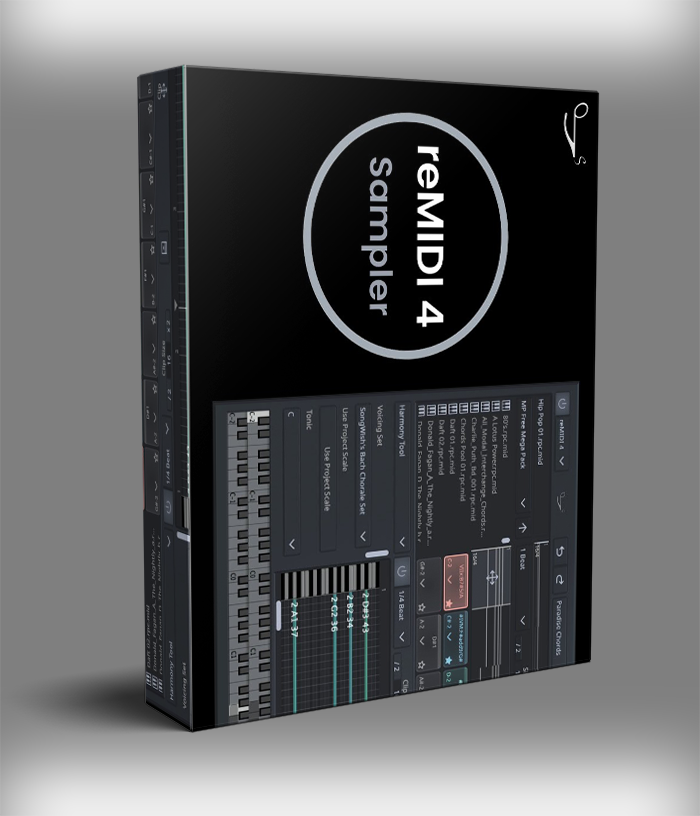
SongWish reMIDI 4 VST Plugin

Original price was: $128.00.$64.00Current price is: $64.00.
ℹ️ New to ReverBay? Learn how it works →
SongWish reMIDI 4 VST — MIDI sampler plugin with 128-pad grid, built-in classical and jazz library, slice-to-pads, scale sync, and real-time DAW control. VST, VST3, AU. Mac & Windows. Instant download.
If you’ve ever wanted to treat MIDI the way producers treat audio samples — grabbing chunks, chopping them up, and playing them like an instrument — reMIDI 4 VST by SongWish is built exactly for that. It’s a MIDI sampler in the truest sense: load any MIDI file, auto-slice it into sections, map those sections to a 128-pad grid, and trigger them in real time from a keyboard or MIDI controller. No piano roll. No manual editing. Just fast, hands-on control over melodic and rhythmic MIDI data.
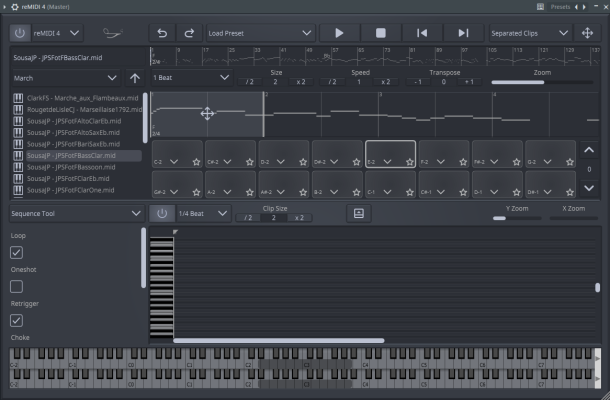
How reMIDI 4 VST Actually Works
The core concept sits closer to an MPC than a traditional MIDI editor. Open a MIDI file in the browser, let reMIDI 4 auto-slice it into sections, and those sections land on pads ready to trigger. Each pad holds a different part of the file — a chord, a bar, a fill, a full phrase. Tap a pad and it plays. Tap a different one and it switches. Because the transitions happen in sync with your DAW clock, nothing drifts or loses the groove.
What separates the Songwish reMIDI 4 sampler from simpler MIDI tools is the depth underneath that simple surface. The plugin names every pad automatically by detecting the chord and scale of each slice — so you always know what you’re looking at. The Scale Sync feature then locks all output to a chosen key, which means nothing clashes even when you jump between different source files. On top of that, Swing and Humanize controls dial in groove and feel, turning a stiff sequence into something that actually breathes.
Key Features of the reMIDI 4 VST Plugin
- 128-pad grid across 8 pages — assign any MIDI slice to any pad, auto-named by chord and scale
- Built-in MIDI library — 150+ composers, 8 genres (Baroque, Classical, Folk, Hymn, Jazz, March, Renaissance, Romantic)
- Slice to Pads and Auto-Slice — chop any MIDI file into looping sections automatically or set your own cut points
- Scale Sync and Scale to Pads — locks all MIDI output to any key so nothing plays out of tune
- Swing and Humanize tools — adds groove and natural timing variation to any sequence
- Real-time updates — edits reflect instantly while playback continues, no stopping to audition
- Track and Channel Filtering — isolate or remap specific tracks inside multi-track MIDI files
- 2D MIDI browser — fast visual navigation through large libraries with favorites and folder support
- Drag-and-drop to DAW — send any clip, chord, or progression straight to your session timeline
- Route to any VST or AU instrument — reMIDI 4 is a controller, not a sound source; use your own synths and samplers
- Standalone application included — runs without a DAW for live performance or quick idea sketching
- Multi-instance band setup — run separate instances for drums, bass, keys, and leads simultaneously
The MIDI Library — Where the Songwish reMIDI 4 Sampler Really Shines
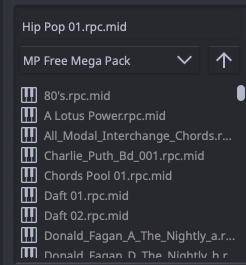
The built-in library is one of those features that sounds like a nice bonus until you actually sit down with it. Over 150 composers appear across eight distinct genres — Bach, Beethoven, Chopin, Gershwin, Vivaldi, and dozens more. These aren’t generic loop packs. They’re finished musical works with real harmonic content, proper voice leading, and compositional structure. Consequently, sampling from them gives you material that carries genuine musical intelligence rather than generic patterns.
The 2D browser makes navigating that depth genuinely fast. Instead of scrolling through a flat list, you move through a visual map of the library. Favorites stick between sessions, and you can drop any folder from your drive — including external drives — straight into the browser alongside the factory content. As a result, your own MIDI packs, purchased libraries, and recorded chord progressions all live in one place and behave exactly the same way.
Live Performance with reMIDI 4
Running reMIDI 4 live is where it earns its place beyond the studio. Bind MIDI inputs to any pad, trigger sequences from a controller, and layer multiple pads at once for dense arrangements. The tempo controls let you halve or double the BPM of any slice without drifting from the DAW clock — useful when you want a half-time feel without rebuilding the loop. Additionally, a simple sine wave synth ships with the plugin for scratch work, so you can audition ideas even when no other instrument is routed.
One setup worth trying: load multiple instances of reMIDI 4 and assign each to a different instrument. One handles the drum groove, another the bass line, a third the chord stabs. Route each to a separate synth or sampler. From there, a single controller triggers all four simultaneously — essentially conducting a full band arrangement with one hand. For live producers and electronic performers, that kind of flexibility changes what’s possible on stage.

DAW Compatibility and System Requirements
On Mac, reMIDI 4 runs on OS X 10.12 or above — natively on Apple Silicon (M1, M2, M3) without Rosetta. On Windows, the plugin needs 64-bit Windows 7 or later. Mac users get VST, VST3, and AU formats, which covers Logic Pro, Ableton Live, FL Studio, Cubase, Studio One, and any other AU or VST3 host. Windows users get VST and VST3 across the same DAWs, minus Logic.
For more tools that work well alongside reMIDI 4, browse the VST plug-ins section at ReverBay. Similarly, the official SongWish website covers updates and companion tools as they release.
Click Add to Cart or Buy Now above. Your license key and download link arrive by email the moment your order confirms.
Frequently Asked Questions
What is the reMIDI 4 VST plugin and how is it different from a MIDI editor?
reMIDI 4 focuses on performance and speed rather than detailed note editing. Instead of drawing notes on a piano roll, you load MIDI files into the browser, auto-slice them onto a 128-pad grid, and trigger those slices from a keyboard or controller in real time. Think of it as an MPC workflow — but for MIDI data.
Which DAWs does reMIDI 4 support?
The Songwish reMIDI 4 sampler works with Ableton Live, Logic Pro, FL Studio, Cubase, and Studio One on both platforms. Mac users get VST, VST3, and AU. Windows users get VST and VST3. Furthermore, both platforms include a standalone version — so no DAW is required at all.
Can I use my own MIDI files, or only the factory library?
Both options work. The factory library covers 150+ composers across 8 genres, but you can also point the browser at any folder on your system — including external drives. Once you add a folder, your own loop packs and purchased MIDI libraries load into the same 2D browser and behave exactly like the factory content.
Does reMIDI 4 make sound on its own, or does it need another instrument?
reMIDI 4 outputs MIDI data, not audio — so it needs a separate instrument to produce sound. Route its output to any VST or AU plugin you already own: synths, samplers, or sound libraries all work. For quick auditioning, the plugin ships with a basic sine wave synth so you can preview ideas without setting up a full instrument chain first.
Is reMIDI 4 compatible with Apple Silicon Macs?
Yes — reMIDI 4 runs natively on M1, M2, and M3 Macs without Rosetta emulation. It supports macOS 10.12 and above, so both older Intel machines and the latest Apple Silicon hardware work without any compatibility workarounds.
What’s new in reMIDI 4 compared to version 3?
Version 4 expanded the pad grid to 128 pads across 8 pages and improved the 2D browser for faster navigation. It also introduced Track and Channel Filtering for multi-track MIDI files, plus auto-naming of pads by detected chord and scale. Finally, the real-time performance engine received a significant refinement pass specifically for live use.
Still have a question?
Our team is here to help with orders, technical setup, or anything else. Reach out any time.
Related products

VST Plug-ins

VST Plug-ins
VST Plug-ins
VST Plug-ins

VST Plug-ins

VST Plug-ins
VST Plug-ins

Bundle Deals