

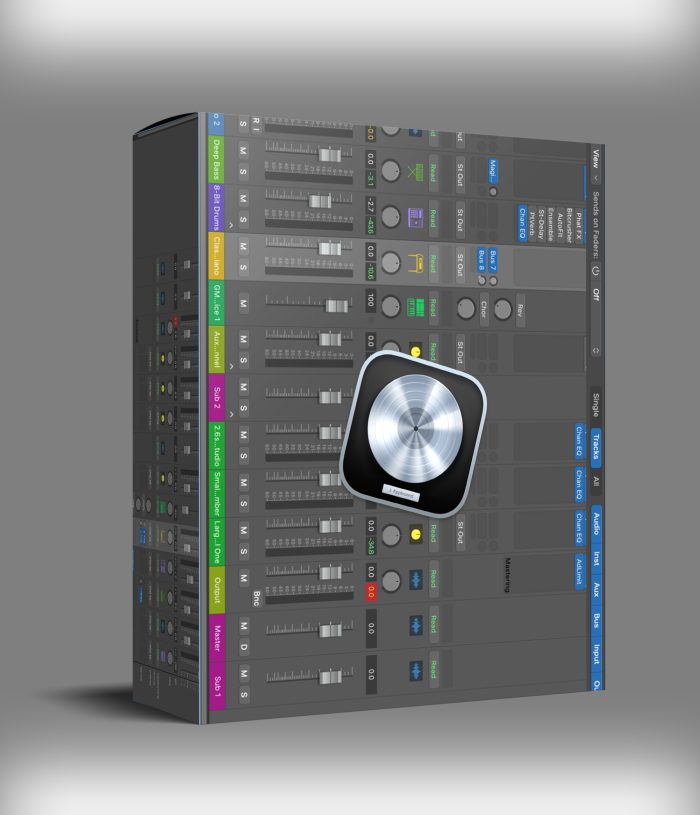
Logic Pro 11.2.0
Original price was: $199.00.$79.00Current price is: $79.00.
ℹ️ New to ReverBay? Learn how it works →
Logic Pro 11.2.0 is a professional-grade DAW Mac. Click ‘BUY NOW‘, complete your secure checkout, and receive instant access via email and confirmation page.
Apple Logic Pro 11.2.0: A Professional DAW for macOS
Buy Now and transform your tracks instantly! Logic Pro 11.2.0 DAW delivers pro-grade sound design—now at a steal. Exclusive at ReverBay VST Plugin Shop.
Apple Logic Pro 11.2.0 is a comprehensive digital audio workstation (DAW) designed for macOS, providing a complete suite of tools for recording, editing, mixing, and producing music. It combines a professional-grade feature set with a streamlined interface, making it suitable for musicians, producers, and audio engineers at all levels.
Core Production Capabilities
- Spatial Audio with Dolby Atmos — Full authoring environment for immersive mixes
- Live Loops — Grid-based interface for triggering loops in real time
- Flex Time and Flex Pitch — Timing and tuning correction tools
- Smart Tempo — Auto-aligns imported audio to your project tempo
Instruments and Sound Design
- Drummer — AI virtual session drummer with genre-specific patterns
- Alchemy Synth — Granular, spectral, additive, and virtual analog synthesis
- Sampler & Quick Sampler — Multi-sampled instruments and one-shot playback
- Amp Designer & Pedalboard — Guitar and bass amp/pedal emulation
System Requirements
- Operating System: macOS 14.4 (Sonoma) or later
- Storage: 6 GB for minimum install; 72 GB for full Sound Library
- Architecture: Apple Silicon and Intel Mac supported
Frequently Asked Questions
What macOS version does Logic Pro 11.2.0 require?
Logic Pro 11.2.0 requires macOS 14.4 (Sonoma) or later. It runs natively on both Apple Silicon (M1/M2/M3) and Intel Macs. If you are on an older macOS version, this release will not install — check our other Logic Pro listings for versions compatible with your system.
Does Logic Pro 11.2.0 support third-party VST plugins?
Logic Pro uses the Audio Units (AU) format exclusively — it does not load VST or VST3 plugins directly. All major plugin developers provide AU versions of their plugins for Logic compatibility. The full ReverBay plugin catalog includes AU-format products where available.
What is new in Logic Pro 11.2.0 compared to 11.0?
Version 11.2.0 brings performance improvements, stability fixes, and expanded AI-assisted features including Session Players updates. Dolby Atmos authoring tools are also more deeply integrated. For a full changelog, the Apple Logic Pro page maintains the official update history.
How much disk space do I need?
Minimum installation requires 6 GB. The complete Sound Library — which includes all Apple Loops, samples, instruments, and Alchemy content — requires up to 72 GB. You can download sound library components selectively after installation to manage storage.
Is this a one-time purchase or a subscription?
This is a one-time purchase delivering a full Logic Pro license. Logic Pro itself is sold as a perpetual license by Apple. There are no monthly fees. Your license is tied to your Apple ID and can be used on any Mac you own.
How long does delivery take?
Your download access and installation instructions are delivered by email. Processing typically completes within a few hours of payment. Need help setting it up? Our free installing service covers Logic Pro installation and initial configuration — open a support ticket after purchase.
Still have a question?
Our team handles pre-sales and post-purchase questions. Reach out any time.
Related products
VST Plug-ins
VST Plug-ins
VST Plug-ins

VST Plug-ins
VST Plug-ins
VST Plug-ins
VST Instruments

VST Plug-ins