

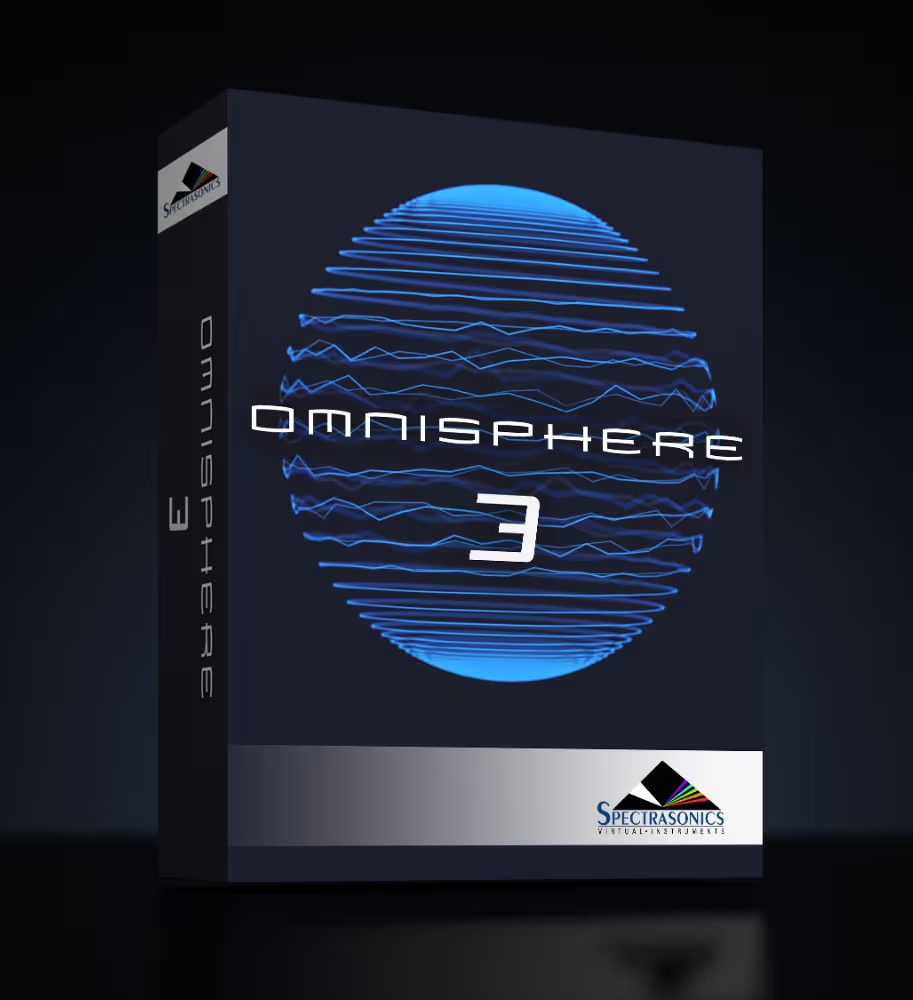
Spectrasonics Omnisphere 3 VST Plugin

Original price was: $499.00.$65.00Current price is: $65.00.
ℹ️ New to ReverBay? Learn how it works →
Omnisphere 3 VST by Spectrasonics combines granular, wavetable, sample-based, and virtual analog synthesis in one plugin. Includes 14,000+ patches, Neural Resynthesis, hardware control for 65+ synths, and a 64GB core library. Runs as VST, AU, and AAX on Mac and Windows.
Omnisphere 3 VST by Spectrasonics
Omnisphere 3 VST is the flagship synthesizer plugin from Spectrasonics. It combines granular, wavetable, sample-based, and virtual analog synthesis in a single engine. At 64GB, the core library is one of the largest included with any software instrument. On top of that, it features Neural Resynthesis technology and hardware integration for over 65 synths. This page covers what the plugin includes, how it differs from version 2, system requirements, and what you receive with your ReverBay purchase.
What You Get With Omnisphere 3 VST
Omnisphere 3 runs as VST, AU, and AAX across all major DAWs — Ableton Live, Logic Pro, FL Studio, Cubase, Pro Tools, and Studio One. Your purchase through ReverBay includes a full license key and download access via the STEAM activation system. Installation requires an internet connection for initial activation only. After that, the plugin runs completely offline on up to 3 computers.
Core Features of the Omnisphere 3 VST Plugin
Neural Resynthesis
Neural Resynthesis is the most significant new feature in Omnisphere 3. Rather than playing back imported audio as a static sample, the engine analyzes the file and reconstructs it as a playable patch. What you get in return is a patch that responds to velocity, modulation, and pitch across the full keyboard range. As a result, a field recording, a guitar riff, or any found sound becomes a functional instrument almost immediately after import.
Hardware Synth Integration
Connect one of 65+ supported hardware synthesizers via USB or MIDI. Omnisphere 3 then automatically loads a custom device profile for that instrument. Because each profile is built specifically for that hardware, knobs and sliders map to plugin parameters with no manual MIDI learn needed. Supported manufacturers include Moog, Roland, Korg, Sequential, and Oberheim, among others. For the full list, see the Spectrasonics compatibility page.
Dual Synthesis Engine
Each patch contains two independent synthesis layers. Both have their own oscillator section, filter, amplifier, and modulation matrix. Furthermore, the layers can run different synthesis types at the same time — for example, granular on Layer A and wavetable on Layer B. This architecture allows for internal sound movement that single-layer instruments cannot replicate.
Sound Match and Sound Lock
Sound Match scans the 14,000+ patch library and returns tonally similar results to any patch you select. Navigating a library of this size is where that feature proves especially useful. Sound Lock, on the other hand, lets you freeze individual layers while browsing replacements for others. For instance, lock the bass layer and audition leads on top, or hold the effects chain and swap oscillator shapes underneath.
The Orb
An X/Y morphing interface, the Orb moves between up to four parameter states in real time. Any combination of synthesis, filter, or modulation parameters can be assigned to each corner. Then sweep between them using a mouse, touchscreen, or mapped MIDI controller during performance. Because it operates continuously, it works equally well for live performance and for recording automation into a DAW session.
Four Independent Arpeggiators
Each layer has access to its own arpeggiator with custom rhythm grids and MIDI output to external hardware. Complex polyrhythmic patterns can, in addition, be synchronized across layers. Alternatively, route them out to trigger other instruments in your session. In either case, this extends Omnisphere’s role beyond a self-contained synthesizer into a broader performance hub.
Omnisphere 3 System Requirements
Omnisphere 3 — System Requirements
| Operating System | macOS 10.15+ or Windows 10/11 (64-bit) |
| Plugin Formats | VST, AU, AAX (64-bit only) |
| Disk Space | 64GB minimum for core library (SSD recommended) |
| RAM | 8GB minimum, 16GB or more recommended |
| Activation | STEAM system — internet required for initial setup only; up to 3 computers |
| Processing | 64-bit signal chain throughout |
Omnisphere 3 vs Omnisphere 2 — What Changed
Version 3 introduces several meaningful additions rather than a full engine rebuild. Neural Resynthesis is entirely new — it was not available in any earlier version. Additionally, hardware integration expands from roughly 50 to 65+ supported devices. Patch count also grows by 2,000+, covering modern electronic genres not represented in version 2. Sound Lock is likewise a new addition. Meanwhile, granular interpolation on pitched source material is noticeably smoother than before. Upgrade pricing for Omnisphere 2 owners is available through Spectrasonics directly. Note that this listing covers the full version license, not the upgrade.
Granular Engine and Sound Design
Omnisphere 3’s granular engine handles long source audio without the pitch artifacts common in other granular processors. Harmonic Editing, moreover, lets you reshape overtone content on any sample. For instance, you can reduce or amplify specific frequency ranges within the synthesis engine rather than using an external equalizer. Meanwhile, Sound Origin shows the complete signal path of any loaded patch: oscillator type, processing chain, and modulation routing. Because this information is always visible, the library also works as a practical learning resource alongside its role as a sound source.
Omnisphere 3 VST — Frequently Asked Questions
Will Omnisphere 3 VST work with my DAW?
Omnisphere 3 runs as VST, AU, and AAX and is tested against 50+ host applications. Compatible options include Ableton Live, Logic Pro, FL Studio, Cubase, Pro Tools, Studio One, and Reaper, among others. For the full list, see the Spectrasonics compatibility page.
Is Omnisphere 3 suitable for beginners?
Yes. Most users get usable results working from patches alone, without touching the synthesis engine at all. No deep sound design knowledge is required to get started. When you’re ready to go deeper, however, the Sound Origin display shows exactly what each component of a patch is doing. In that sense, it also serves as a practical way to learn synthesis by examining professional designs. Spectrasonics additionally maintains a tutorial library on their official YouTube channel.
What is new in Omnisphere version 3?
Neural Resynthesis is the headline addition. Beyond that, version 3 also brings expanded hardware synth support (65+ devices), Sound Lock browsing, and 2,000+ new patches. Granular interpolation on pitched material is smoother as well. For the complete breakdown, see the official What’s New page.
How does hardware synth integration work?
Connect a supported hardware synth via USB or MIDI, and Omnisphere 3 detects the device and loads a custom control profile automatically. Because profiles are instrument-specific, a Moog Subsequent 37 and a Roland Juno-X get distinct dedicated layouts rather than a generic MIDI map. For setup details, Sweetwater’s hardware integration guide covers the process step by step.
What am I purchasing from ReverBay?
Your purchase includes a full Omnisphere 3 license key and download instructions delivered by email. Activation runs through Spectrasonics’ STEAM system, which requires internet only for the initial setup. After that, the plugin works fully offline on up to 3 machines.
Related Spectrasonics Instruments
Omnisphere 3 integrates directly with two other Spectrasonics instruments. Keyscape — which covers acoustic and electric keyboard instruments — can also be loaded as a sound source inside Omnisphere 3, giving you access to its full library within the same interface. Similarly, Trilian — the bass module — shares the STEAM platform and uses the same browser conventions. Both are available in the VST Instruments section of ReverBay. For additional context, MusicRadar’s review and the official Spectrasonics product page cover the full feature set in depth.
Related products
VST Instruments
VST Instruments
VST Instruments

VST Instruments
VST Instruments
VST Instruments
VST Instruments
VST Instruments